🎮 TwozyGames
⚽

Click to load the game

⌨️ Needs a keyboard — best played on desktop.

📱 See mobile-friendly games →

📱 On a phone? These play by touch — even 2 players on one screen

Finger Soccer Tournament

⚽ Sports🎈 Casual

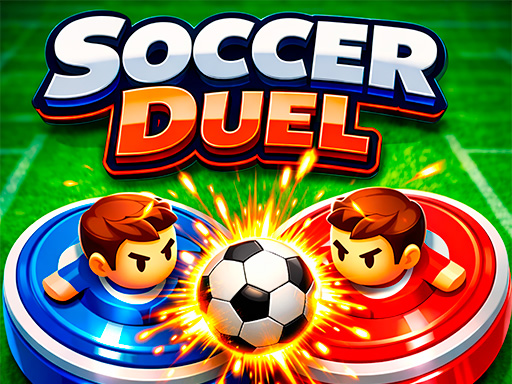
Select your team and score more goals than your opponent to become the champion! Choose between single-player tournament mode (against AI) or challenge a friend in 2-player mode. Multiplayer mode is available only on mobile devices.

📋 At a glance

Players
1
Same keyboard
No
Mode
Single player
On mobile
No

🎮 Controls

Player 1

Mouse

Share

𝕏 Share

🎯 How to Play

Finger Soccer Tournament is a head-soccer-style game where, in the publisher's words, you touch and hold to move a paddle, defend your goal and score. Select your team and compete in single-player tournaments against AI. The publisher says a 2-player mode exists on mobile devices only, but GameDistribution does not list the game as touch-compatible, so plan on solo play from a desktop or laptop. Score more goals than your opponent to advance through tournament rounds. Simple rules, fast matches.
💡 Tips & Tricks

  • Move the paddle steadily; overreacting can leave your goal open.
  • Angle the ball with your paddle to set up your next shot.
  • Use defensive positioning between your goal and the ball to prevent easy opponent scores.
  • Treat the solo tournament as the main mode; the publisher's 2-player mode is mobile-only and the game is not listed as touch-compatible.
  • Practice your paddle control in early tournament matches before the later rounds.

📝 Editorial Review

Finger Soccer Tournament keeps soccer down to a paddle, a ball and two goals. You pick a team and play a single-player tournament against AI opponents, where quick reactions decide each match. The publisher limits 2-player mode to mobile devices, yet GameDistribution does not list the game as touch-compatible, so in practice this is a solo game on a computer. Where the game shines is in how quickly you can pick it up. The downside is that the format is inherently limited in depth; once you master the paddle, there is little new to learn.

👍 Pros

  • Simple defend-and-score rules are easy to pick up.
  • Tournament structure gives solo play clear progression goals.
  • Paddle control is simple to learn.

👎 Cons

  • Format is inherently limited in mechanical depth.
  • 2-player mode unavailable on desktop limits competitive options.
  • Visual presentation is functional rather than polished.

🎲 Bottom Line

Best for: Casual soccer fans who want a quick solo tournament on a computer.

Skip if: You want simulation soccer, desktop multiplayer, or deep career modes.

"A simple paddle-soccer tournament — perfect for quick casual play."

❓ Frequently Asked Questions

How do I control players in Finger Soccer Tournament?

The publisher's instructions say to touch and hold the screen to move the paddle, defend your goal and score more than your opponent. GameDistribution does not list the game as touch-compatible, so on a computer use the mouse.

Is 2-player mode available on desktop?

No. The publisher says 2-player mode is available only on mobile devices. GameDistribution does not list Finger Soccer Tournament as touch-compatible, though, so on TwozyGames treat it as a solo tournament game for a desktop or laptop.

How many teams can I choose?

The publisher says you select your team but does not say how many teams there are.

Is the game suitable for kids?

Yes, the family-friendly soccer presentation and simple paddle controls make it appropriate for children of all ages.

Is Finger Soccer Tournament free?

Yes, the game is completely free in your browser on TwozyGames with all tournament modes available at no cost.

🎮 Similar Games

🔥 Popular Games

📖 Related Guides